Crack ((free)) Activity Wizard Password Cisco Packet Tracer
If you encounter encrypted passwords within the IOS configuration, Type 7 passwords can be easily decrypted using SolarWinds' Password Decryptor . Type 5 (MD5/Secret) passwords are hashed and generally cannot be reversed .
If you are an instructor trying to secure your labs, it is important to know that the built-in password protection is not extremely robust.
Disclaimer: The following methods are discussed strictly for educational purposes, password recovery of self-owned material, and security auditing. Unauthorized access to academic assessments may violate academic integrity policies or terms of service.
user wants a long article about "Crack Activity Wizard Password Cisco Packet Tracer". I need to gather information on this topic. The search results include a detailed guide on how to recover or bypass the Activity Wizard password in Cisco Packet Tracer. This seems to be the primary source of information. I'll also open some of the other results to see if they provide additional insights or confirm the methods. search results show various resources. The GitHub repository (result 0) seems to be a tool for bypassing the password. Result 1 is a blog post about cheating and encryption. Result 2 is an npm.io page. Result 3 is a weebly page. Result 4 is another weebly page. Result 5 is a PacketTracerRecovery tool. Result 6 is a Medium article. Result 7 is a weebly page. The Cisco Community post (result 0 in the second search) might have some information. I should open some of these to get more details.'ve gathered information from various sources. The GitHub repository provides a patched EXE. The blog post describes a method using hash replacement. The weebly page mentions using OllyDbg. The PacketTracerRecovery tool sets the password to "Ferib". The Medium article seems less relevant. The Cisco Community post discusses ensuring student submissions. The Activity Wizard help page explains its purpose. The password help page explains the password feature. I also need to consider ethical and legal implications. I should search for information on the "Activity Wizard" password protection mechanism itself.'ve gathered enough information to write a comprehensive article. The article will cover the intended purpose of the Activity Wizard password, common legitimate reasons for password recovery, the technical vulnerabilities that enable bypassing, a disclaimer about usage, detailed methods for password recovery (including binary patching, direct hash modification, and using purpose-built tools like PacketTracerRecovery), a step-by-step guide for the PacketTracerPatcher.exe method, alternative approaches, ethical considerations, responsible use for educators, limitations and troubleshooting, and a conclusion. Now I will write the article. The Technical Truth About "Crack Activity Wizard Password Cisco Packet Tracer" Crack Activity Wizard Password Cisco Packet Tracer
A frequent search engine query among users who lose access to their labs revolves around terms like "Crack Activity Wizard Password Cisco Packet Tracer". While various reverse-engineering Proof of Concepts (PoCs) exist on public code repositories—such as tools that use debuggers or memory injectors to modify binary execution paths or swap hash pointers—relying on these approaches introduces significant risks. 1. Malware and Security Vulnerabilities
So, what does the future hold?
: Run the script against your .pka file. The tool will parse the compressed XML data, locate the specific hex string associated with the password block, and attempt to reverse the obfuscation. If you encounter encrypted passwords within the IOS
Copy () and paste ( Ctrl+V ) it into a new, blank Packet Tracer file ( .pkt ).
This article focuses on the legitimate scenario of password recovery for your own files. Using these techniques to cheat on assignments violates academic integrity policies and may have serious consequences.
Method 1: The Hex Editor and File Extraction Technique (Older Versions) Disclaimer: The following methods are discussed strictly for
For legitimate users who have lost access to their own files, the methods described in this article provide effective recovery solutions. The binary patching method requires modifying only 4 bytes of the executable, while the PacketTracerRecovery tool offers a non-permanent approach using the known password Ferib .
The PacketTracerRecovery tool is designed specifically for . If you are using a different version, the memory offsets and hooking methods may differ. Verify your Packet Tracer version before attempting this method.
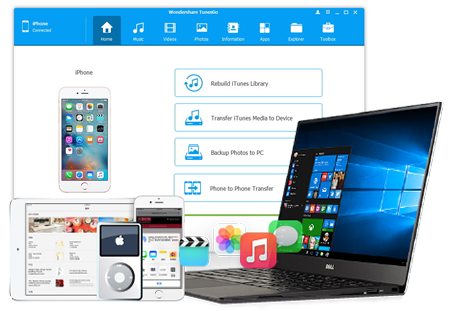

















Fantastic iPhone backup software! My Win pc died and had to rebuild iTunes. This value-for-money AND easy-to-use software helped me get back up and running with no loss of data from any of my iOS devices. Thank you so much!
- VirginiaThanks! I manage to transfer my iTunes playlists to my cool new computer using this awesome iPhone transfer. It really works well.
- ThelmaIt's really the best iPhone PC suite that I have ever used. Now, I can transfer all my favorite songs and videos back to my PC freely. Best wishes!
- DaveUnbelievable! This app is so much better than iTunes. It really saves my life. Now, everything goes well. Thanks!!!
- LeonardI did it. I transferred all songs on iPhone 14 to my PC. Thanks iPhone PC Suite. It really does me a great favor. Hope it has more salient feature in next version.
- FosterTried “Smart Export to iTunes”. It helps me to transfer all songs on my iPhone 5c to iTunes without duplicates. Good!
- WilliamiPhone PC Suite really does a good job. It lets me transfer .vcf contacts to my iPhone 15. Pretty easy. Well worth the money.
- GinaI have lots of duplicate contacts on my iPhone 15 Pro Max. This app helps me merge all of them. Thank you!!!
- BrianMy SMS mailbox was full. But I didn’t want to delete them, because these SMS recorded many important things. They meant a lot to me. Finally, I got this. Wow, it’s great! I transferred all my SMS to my computer. Now, I delete SMS on my iPhone to make room for new one.
- HildaI have been searching for an alternative to iTunes and i found this... And I've got a pretty amazing experience so for.. Cool features packed into a decent clean UI...
- Clarine